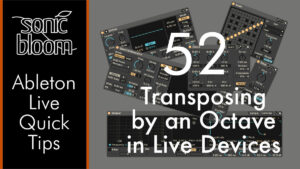
Ableton Live Quick Tips: Transposing by an Octave in Live Devices
In this video tutorial, we’ll explore all the devices in Ableton Live that allow you to quickly transpose certain parameters by an octave. All with a simple key command.

In this video tutorial, we’ll explore all the devices in Ableton Live that allow you to quickly transpose certain parameters by an octave. All with a simple key command.

Discover which classic Options.txt commands still work in Ableton Live 12 & 11, plus new ones—unlock hidden features like Device Slots despite UI changes.

Free Ableton Live 12 Theme Set No. 1 contains 12 themes, one is brand new, the others are previously released themes that I have remixed. They’re a mix of very dark, medium, medium-light and very light themes, so hopefully you’ll find something to suit your taste.

Discover six creative ways to use Ableton Live’s comping feature beyond basic take selection for unique tracks. Including little-known or secret eatures.

In this video tutorial, we’ll look at Ableton Live’s file structure, upgrading and downgrading Live, and what to consider when upgrading your operating system.

Learn how to safely update your Ableton Live Packs without breaking presets in Live 11 or earlier when installing Live 12. Watch this first!

Learn key mapping tips in Ableton Live to avoid shortcut conflicts and maximise control options for music-making and live performance workflows.

Do you want to add text notes to your Ableton Live Set for documentation, ideas, or to-dos? This video presents four options for jotting down text notes, including hacks and free devices.

Learn time-stretching in Impulse and how to combine it with automation and other features for creative results you can edit, comp, or warp.

This time we’re going to look at how to achieve what is commonly known as hocketing. This is a technique where different sounds take turns playing a melody or chords. Suppose you have a MIDI clip that you want to

This tutorial covers two methods for setting up a drum pad in a Drum Rack to play a melody, such as a bass line, alongside beats. This tip is especially helpful for those using Ableton Live with an electronic drum kit or as a controllerist using Push or a similar MIDI controller. However, this approach can also be used creatively in music productions.

Someone recently asked in an Ableton Live Facebook group if round robins were possible, and most of the answers said no or only in Live 12. That’s not true. Some of you may be wondering what round robins are. They’re
Search
Stay in Touch
Latest Releases
Sign up to the monthly newsletter for the latest on the Sonic Bloom blog as well as regular discounts.
Features 28 powerful mid/side audio effect racks for Ableton Live 12.2, each with 10 variations. From precise control in mixing to instantly giving more interest to basic sounds.