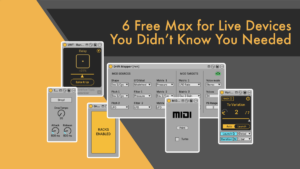
6 Free Max for Live Devices You Didn’t Know You Needed
I’ve checked out all recently released free Max for Live devices and show you my 6 favourites, including a preset generator, MIDI bounce, and smooth variations.

I’ve checked out all recently released free Max for Live devices and show you my 6 favourites, including a preset generator, MIDI bounce, and smooth variations.
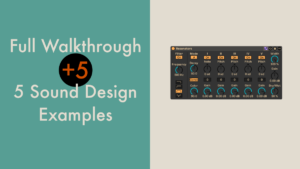
Resonator is an audio effect I use quite a bit. Anyone who has downloaded any of my free racks will likely have noticed this. I feel it is still rather underrated and deserves more attention. I couldn’t actually find any
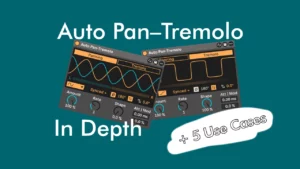
In this tutorial we’re doing a deep dive into the Auto Pan–Tremolo audio effect in Ableton Live. Plus five use cases using the new features.
In this video tutorial, we’ll explore all the devices in Ableton Live that allow you to quickly transpose certain parameters by an octave. All with a simple key command.
This time we’re going to look at how to achieve what is commonly known as hocketing. This is a technique where different sounds take turns playing a melody or chords. Suppose you have a MIDI clip that you want to
Ableton Live 12 comes packed with new features and devices. Here you can find video tutorials on Roar, Meld and Iftah’s Performance Pack, as well as an honest review of how it changes your workflow.
We’re going to use Ableton’s Shaper (or LFO) to give us the possibility to macro map any parameter in the whole Live Set within a rack, or actually even up to 8 parameters all to one macro.
This time around in the Ableton Live Insider Tips I have a great trick for anyone who uses Live’s Looper. There’s a hidden feature that makes overdubbing layers of effects a breeze. This lets you mangle and change the loop
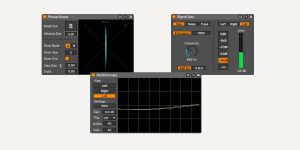
Christian Kleine aka Max for Cats is back with a free Max for Live Pack called Studio Tools. Included are three devices: a phase scope, an oscilloscope and a signal generator. The first two are visualiser tools for mixing, the
The year 2021 is coming to a close (thank goodness). I thought we could take the time to look back at the video tutorials most watched on Sonic Bloom. Have a look if you’d missed them before and I hope
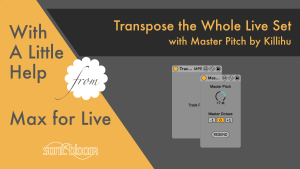
In this episode of With a Little Help from Max for Live we’re going to check out a free Max for Live bundle with only one real function. The possibility to change the pitch of all MIDI clips in the
Learn how to restore the simpler Live 10 audio effect browser view in Live 11 & up. Quicker access without the new category folders slowing you down.




