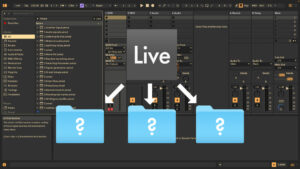
Upgrading or Downgrading Ableton Live or Your OS: Risks & Things to Consider
In this video tutorial, we’ll look at Ableton Live’s file structure, upgrading and downgrading Live, and what to consider when upgrading your operating system.

In this video tutorial, we’ll look at Ableton Live’s file structure, upgrading and downgrading Live, and what to consider when upgrading your operating system.
Learn how to safely update your Ableton Live Packs without breaking presets in Live 11 or earlier when installing Live 12. Watch this first!
Learn key mapping tips in Ableton Live to avoid shortcut conflicts and maximise control options for music-making and live performance workflows.
Do you want to add text notes to your Ableton Live Set for documentation, ideas, or to-dos? This video presents four options for jotting down text notes, including hacks and free devices.
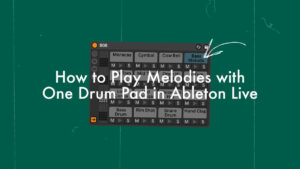
This tutorial covers two methods for setting up a drum pad in a Drum Rack to play a melody, such as a bass line, alongside beats. This tip is especially helpful for those using Ableton Live with an electronic drum kit or as a controllerist using Push or a similar MIDI controller. However, this approach can also be used creatively in music productions.
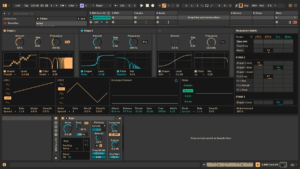
Ableton Live 12 comes packed with new features and devices. Here you can find video tutorials on Roar, Meld and Iftah’s Performance Pack, as well as an honest review of how it changes your workflow.
Whether you’re working in Session View or Arrangement View, it can be very useful to be able to show the currently playing audio or MIDI clip in the Clip View. This video tutorial in the Ableton Live Insider Tips series
Find out how to quickly replace multiple instances of the same audio file in Ableton Live with one simple trick.
Learn a handy trick to visually organise folders in Ableton Live’s Browser Places, making it easier to find what you need quickly and efficiently.

Learn the fastest way to set or adjust start and end markers, loop braces, and clip points in Ableton Live. Both in clips and the Arrangement View.
In this episode of the Ableton Live Quick Tips, I show you how can stop Live from automatically updating completely or to ask beforehand, so you can do it manually instead. I also explain how you can downgrade Ableton Live in case an automatically updated new version is causing you issues.
In this video tutorial I get into the details of the backup feature that was introduced in Live 10. This function is very useful for avoiding losing your work.




