Back Up or Copy Live’s Collections to Another Computer
Learn where Ableton Live Collections are stored, so you can back them up or move them. Essential for preserving your custom workflow.

Learn where Ableton Live Collections are stored, so you can back them up or move them. Essential for preserving your custom workflow.
Learn quick ways to shift loop braces in clips or Arrangement View. Perfect for take recording or live clip variations in Ableton Live.
Learn how to create smooth, seamless clip transitions in Ableton Live’s Session View with a simple built-in feature. Watch the quick tutorial!
The year 2021 is coming to a close (thank goodness). I thought we could take the time to look back at the video tutorials most watched on Sonic Bloom. Have a look if you’d missed them before and I hope
Learn a quick Ableton Live trick to avoid or fix timing issues caused by moving the last warp marker in audio clips. Watch the tutorial now.
Time for a new Ableton Live Quick Tip. The series that brings you little, but very useful tips and tricks on how to improve your workflow when working with Ableton Live. This time we’re going to have a look at
Ableton Live Quick Tip: easily jump to any device in a busy track. Eeven if it’s not visible in Device View. Save time with this simple trick!
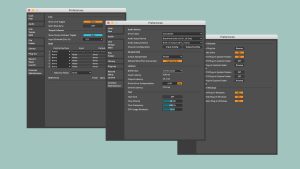
Over the years I’ve created lots of Live tutorials here on Sonic Bloom. This includes a sizeable amount of tutorials for beginners. By now you can find more than 180 Live tutorials for beginners, intermediate or advanced users on this
This time in the Ableton Live Quick Tips tutorial series I have a video for you showing you the fastest workflow when using the browser. This will make it quick and easy for you to locate or look for any
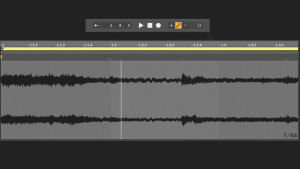
This time I have an assortment of shortcuts that are really useful to speed up your workflow in Ableton Live. The shortcuts as well as what they actually are achieving is shown in animated GIFs. All shortcuts work in Live
It’s time for a new episode of the Ableton Live Insider Tips. This time I’ve got two tricks for you concerning the creation and adjustment of MIDI notes in the Clip View of MIDI clips. Both are useful for improving
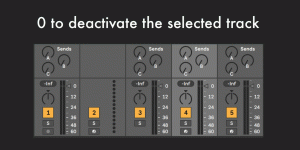
This post continues the shortcuts series that collates the individual shortcut videos from Instagram in an easy overview of animated GIFs for you. This time we’re looking at the various shortcuts for working with tracks. The first three are for




