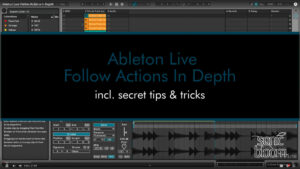
Ableton Live Follow Actions in Depth
This video tutorial covers everything there is to know about Follow Actions in Ableton Live 11 and below. For clips and scenes, plus tips and tricks.

This video tutorial covers everything there is to know about Follow Actions in Ableton Live 11 and below. For clips and scenes, plus tips and tricks.
The Mellotron bundle 3 consists of 5 Ableton Live Packs. Each contains a Simpler preset and 4 macro-mapped Instrument Racks, with notes individually sampled.
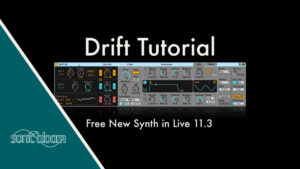
Yesterday, Ableton went public with the Live 11.3 beta version. So if you’re registered as a beta tester you can now download it and try out its new features and improvements. The biggest news is the new subtractive synthesizer called
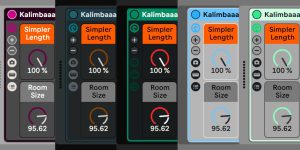
Another month, another set of Ableton Live themes. Four of them are recreations from Ableton Live skins I’ve made over the years. I’ve adapted them to work perfectly in Live 11 and have also fixed some issues where texts weren’t
In this video tutorial of the Ableton Live Quick Tips series we’re looking at the best workflow for renaming clips on the fly. It’s always good to keep things organised so if you open the Live Set after a week,

Reload this page for a new random Oblique Strategy prompt – perfect for breaking creative blocks in your music production. Bookmark it now!
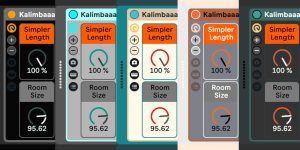
4 themes are adapted from Live skins: Darkness, Electric Blue, Sonic Blooom & Elegance. A new one is called Tuscan.
This Ableton Live secret feature lets you save a bit of space while keeping the In/Out section open for routing.
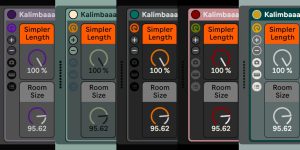
Here I am again with another set of themes for Live 11. The themes adapted from Live skins that are included in this set are Heliotrope, Marble, Smaragd, Ruby and Myrtle (in order of appearance in the image). This time
SB Mellotron Live Pack Bundle 2 includes 8 Packs with Simpler presets & macro-mapped Racks – self-installing, made in Ableton Live 9.7.
One thing I didn’t like doing in Ableton Live was editing vocals. Getting rid of quiet bits, some breaths or ad libs gone wrong. That was because the way I used to do it for a long time was zoom
In this new episode of the Ableton Live Quick Tips I show you a little trick to skip to specific positions of a clip or show the full loop length of a clip. You most likely never realised that this