
LiveControl 2 – Sequencer (Video Tutorial 3/4)
This third tutorial in my mini series on how to use LiveControl 2 addresses the Sequencer Layout and all its features and functions.

This third tutorial in my mini series on how to use LiveControl 2 addresses the Sequencer Layout and all its features and functions.
Lokua, an electronic musician from Chicago, has created quite a few nice Max for Live devices. All can be downloaded for free and he’s got more already in the works.
This is the second video in my mini tutorial series on how to use LiveControl 2. This one introduces you to the Play Layout and all its functions.
Learn how to use Ableton Push’s Scales settings with a quick crash course in music theory and harmonics to enhance your compositions.
When you download and install Live 9 Suite, only the Core Library is included. What a lot of people don’t know is that you can download and install further individual Live Packs from Ableton for free. And not all are
Due to popular demand and since there’s not even a manual out there, I’m making a mini series about how to use the LiveControl 2 template for Lemur. The first tutorial out of four explains all buttons and functions of
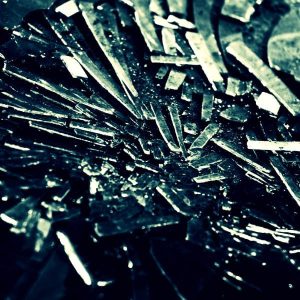
Again I rummaged in my sound library. The result is the “Broken Glass” Live Pack that contains a nested Drum Rack with Impulse instances at its core. The nested Drum Racks are also fully macro mapped so you can tweak
What if you sometimes need a quick fade-out in your live performance, but don’t really have time to turn a fader or knob all the way to achieve it? The Max for Live device FADE allows you to trigger a
Ableton Push’s white LEDs are infamous for being inconsistent in brightness. Recently Mark Triant shared his own seapunk colour scheme. If the colour combinations are a tad too candy store for you, you can easily create your own. Here’s how…

One of my favourite plug-ins when I was still producing on a Windows machine was dblue Glitch. Now the plug-in has been revamped and is also available for Mac OS X and even Linux. In 32- and 64-bit. It’s no
Maurizio Giri, co-author of “Electronic Music and Sound Design Theory and Practice with Max/MSP”, has quite a few Max for Live devices on his site Amazing Noises. Including the “Granular Stereo Faker”, a granular delay with different delays between right
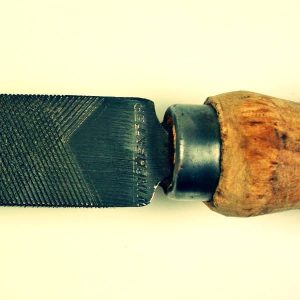
The File under File Live Pack turns a bendable toolbox file into 3 macro-mapped Instrument Racks for Ableton Live 8 and up. Unique, bouncy and fun!




