Many of Live’s native instruments have hidden features. In this video tutorial we’re going to take a look at which devices those are as well as the one MIDI effect, what hidden features they have, and also what these features are good for.
Watch the Video:
Hidden Features in Live’s Instrument
Let’s start with the MIDI instruments available in Live.
Wavetable
Wavetable features a Hi-Quality setting hidden in the context menu. When it’s off, modulation is calculated only every 32 samples, and CPU-saving versions of the Cytomic filters are employed. Up to 25% CPU can be saved compared to the setting being on, but there can subtle differences in sound. It’s off by default since Live 11.1.
Drift
Drift also has a Hi-Quality setting, which is on by default. While it’s not documented what the setting does in detail, it likely also affects the modulation calculation frequency as in Wavetable. When it’s turned off, the CPU saving can reach up to 50%.
Drum Rack
The Drum Rack sports several hidden features in the context menu. Swap All Pads Next swaps out all the samples used on the drum pads with the next similar ones. Swap All Pads Previous only becomes active when Swap All Pads Next has been used at least once, as it lets you revert to the previous samples.
Save as Similarity Reference lets the currently loaded samples be treated as if they were the original ones, and the Similarity Search functions uses the new samples as the reference to what other samples sound similar. Return to Reference lets you revert back to the original samples as reference.
Simpler -> Drum Sampler allows for the conversion of all drum pads housing Simpler instances to be converted to Drum Samplers, while maintaining the sample as well as the sample’s start and length settings. If the pads don’t contain Simpler, the option is greyed out. Drum Sampler -> Simpler offers the same just in reverse.
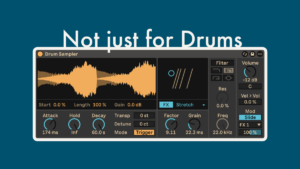
Drum Sampler
Enable Per-Note Pitch Bend is relevant when you have an MPE-ready MIDI controller, as per-note pitch bend is MPE only. Envelope Follows Pitch is on by default. If turned on, the amplitude envelope will be scaled relative to sample’s pitch which makes a clear difference to the sound as the sample is stretched or shrunk depending on pitch. Drum Sampler -> Simpler allows you to swap out Drum Sampler for Simpler while keeping sample’s start and length positions intact.
Operator
Operator also offers Enable Per-Note Pitch Bend as a setting, which is on by default. The Play by Key feature automatically configures the filter to provide optimal key tracking. This is achieved by setting the ‘Freq < Key’ parameter to 100% and the cutoff frequency to 466 Hz.
Meld
Meld has six features hidden in the context menu. Copy Engine A to B (or … B to A) let you copy the settings from one engine to the other, so that if you only want subtle differences, setting up the synth takes less time.
Activating Filter A – Show as Note Value (Filter B – …) lets you show the filter frequency of the respective engine as a note value, e.g. C3. Filter A – Play by Key (Filter B – …) lets the filter frequency get tracked by key and sets the filter frequency to show note values too with a default of C3.
Sampler
Use Constant Power Fade for Loops is on by default, if you prefer linear crossfades at the loop points, you can uncheck the setting in the context menu. Sampler -> Simpler lets you convert a Sampler instance to Simpler, while retaining the sample, as well as it’s start and length setting. If the Sampler contains more than one sample, Simpler will show “Multisample Mode” instead of the sample’s waveform in the display.
Simpler
Simpler features the same Use Constant Power Fade for Loops setting as Sampler with the exact same function, as well as the conversion options Simpler -> Sampler and Simpler -> Drum Sampler.
Hidden Features in Ableton Live’s MIDI Effects
Chord
The Chord MIDI effect offers two hidden features. Usually when you set several of the Shift encoders to the same value, the second one is deactivated and ignored. When you turn on Play Duplicate Notes When Strumming, it becomes activated and is played, but only if Strum is set to another value than 0 ms.
Send Per-Note Events to Generated Notes is on by default, and decides if MPE MIDI data is recognised or ignored. It is not documented in the manual.
I hope you learnt something new. Let me know which context menu entry was completely new to you, or that you didn’t know what it does. Or if there’s anything you didn’t understand yet.