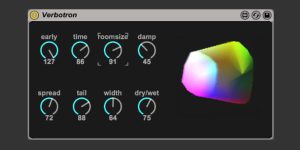
Verbotron – Free Max for Live Reverb by Christian Kleine
Verbotron, a Max for Live Pack for Ableton Live 9 Suite or up, 9 presets uses the Gigaverb algorithm with visual reverb controls.

New Ableton Goodies series on Create Digital Music
Peter Kirn has recently begun a new series on Create Digital Music called “Ableton Goodies”. If you haven’t seen any of his posts, yet, I’ve compiled them for you here.
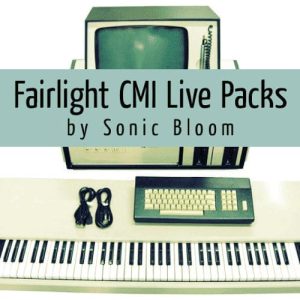
Free Fairlight CMI 3 Drums & Percussion (3/10) (No. 16)
The third Fairlight CMI Live Pack features drums, cymbals, and percussion from the CMI IIx, packed into three Drum Racks. Made for Ableton Live 9 and up.
Futility – Free Max for Live Effect to Mute, Solo, Arm Tracks and More
Futility is a simple, but handy utility Max for Live device that allows you to quickly mute, solo, arm or collapse the selected track. You can also unsolo, unmute and unarm any soloed, muted, or armed tracks at once.
Use the Utility Effect for Better Mixing in Ableton Live
Instead of automating the track volume, you can use Ableton Live’s Utility effect. So volume is freed up for mixing.
Free Live Pack – Fairlight CMI 2 Guitar & Bass (2/10) (No. 15)
As promised, new week – new Fairlight CMI Live Pack. This second one contains 63 Simpler presets full of guitar and bass sounds from an original Fairlight CMI IIx compiled in four Live Sets for Live 9.
Free Fairlight CMI 1 Keyboards & Piano (No. 14)
The first Fairlight CMI Live Pack includes 42 free Simpler presets of keyboards and pianos across three Live Sets for Ableton Live 9 and up.
New ‘Push Programming’ Tutorial Series by Cycling ’74
At least in the northern hemisphere, the cold season is coming closer and closer. A great time to start a new indoors project. Like learning how to programme Push with Max for Live. The folks at Cycling ’74 have started

Sound Chopper – Free Standalone App for Mac
Sound Chopper is an application built in Max/MSP and for Mac OS X by sound designer Matteo Cerquone. It allows you to manipulate and transform pre-recorded sound through its many sound effects such as pitch shifter, reverb, delay and looper