
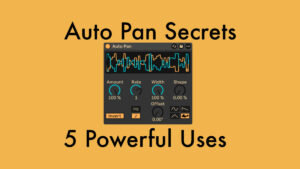
Auto Pan Secrets in Ableton Live: 5 Powerful Uses
This video tutorial covers the parameters Ableton Live’s Auto Pan & 5 creative uses including risers, gating, bounce, & return FX control.
Ableton Live 12.2: 12 Small Improvements – Big Difference
Discover 12 small, but impactful workflow improvements in Ableton Live 12.2, from sidechain and VST3 to take lanes and quick tags.
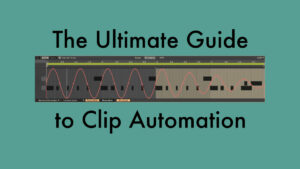
The Ultimate Guide to Clip Automation in Session View
Clip automation in Ableton Live’s Session View allows you to automate parameters in clips. Here’s all you need to know.
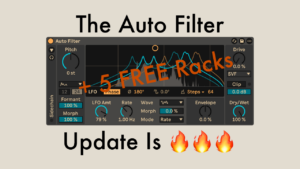
5 Use Cases for the New Auto Filter (+ Free Presets)
Ableton Live 12.2 updates Auto Filter with five filter types. Watch the video for use cases for each and download free mapped presets.
Custom Shortcuts in Ableton Live for Collect All and Save and more
In this video tutorial, I’m sharing how you can create your own shortcuts for any menu items in Ableton Live on macOS. For Windows, I share some additional tips how you can achieve the same functionality for free.
25 Essential Workflow Tips for Ableton Live
In this video tutorial, I’ll give you 25 tips on how to use various Live features to create a better workflow. Using the features in Ableton Live can save you hours of time and allow you to focus on your
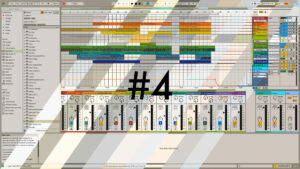
Free Ableton Live 12 Theme Set No. 4 (Light Collection)
The free Ableton Live 12 Theme Set No. 4 contains 12 themes for Ableton Live 12. 7 brand new and 5 remixed. They’re all light themes, either tinted greys or beiges with splashes of colour.
8 Browser Changes in Live 12.1 You Can’t Miss!
Ableton Live 12 saw a complete overhaul of the browser. In Live 12.1, more changes and improvements were added. In this tutorial video, we’ll take a look at all of them.
Generate & Transform Ideas with the FREE MIDI Tools by Philip Meyer
With the release of Live 12.1, Ableton has come out with two new and free Max for Live packs. One is called Sequencers, which contains three interesting and useful step sequencers, and the other is called MIDI Tools by Philip




